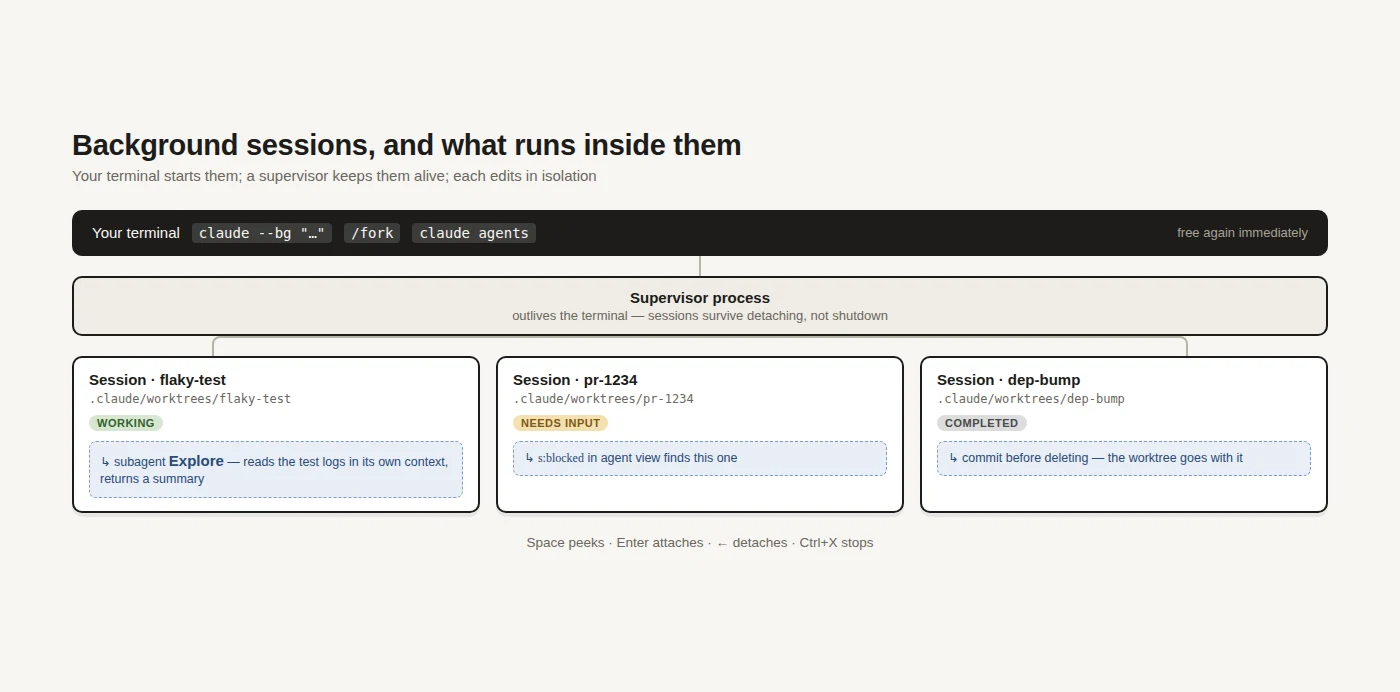
The first thing that changes when a coding agent starts doing real work is not the quality of the output. It is that you are now the bottleneck: one terminal, one conversation, and a task that takes eleven minutes while you watch. Everything below exists to break that coupling — and the two mechanisms that do it are easy to confuse, so this piece separates them.
The two mechanisms
A background session is another complete conversation running beside yours. It has its own history and its own terminal-shaped life, you can attach to it and talk to it, and you monitor several of them from one screen.
A subagent is not a session at all. It is a specialist that your current conversation hands one task to, which works in its own context window and returns only a summary — so the searching, reading and log-scanning never lands in your history.
The rule of thumb is about ownership. Use a background session when the work is a parallel piece of the project you want to check on; use a subagent when the work is a side quest of the current conversation whose intermediate output you never want to see. This piece covers both, and they compose.
Starting a background session
There are three ways in, and which you use depends on where you are when you decide. From a shell, --bg starts detached and hands the prompt straight back.
claude --bg "investigate the flaky SettingsChangeDetector test"
claude --bg --name "flaky-test" "…"   # name it now, find it later
claude --agent code-reviewer --bg "address the review comments on PR 1234"
From inside a session, /background (or /bg) pushes the current conversation into the background and hands your terminal back, while /fork copies it into a new background session and leaves the original running. That second one is the useful trick: it lets you try a risky approach without abandoning the conversation that got you there.
The third way is the agent view itself — open it, type a prompt into the dispatch box, and each one you send starts an independent session.
The agent view is the control centre
claude agents is where you live once more than one thing is running. It groups sessions by state — needs input, working, completed, and the ones you have pinned — so the question "what is waiting on me" has a place to be answered.
The keys are the whole interface, and they are worth ten minutes.
| Key | What it does |
|---|---|
Space |
Peek: the exact question it is stuck on, or the result. Reply without leaving |
Enter / → |
Attach — the session takes over your terminal |
← |
On an empty prompt, detach and come back to the list |
Ctrl+T |
Pin, which keeps the process alive while idle |
Ctrl+R |
Rename |
Ctrl+X |
Stop; pressed again within two seconds, delete |
? |
Every shortcut |
Typing in the dispatch box filters rather than dispatches: s:working narrows to what is running, a:<name> to sessions on a named agent, #1234 to those working a pull request. The one to remember is s:blocked — everything waiting on you — which is the view to open when you come back from lunch.
You can also set the defaults for everything dispatched from the view in one command, which is how you keep a batch of sessions from each making their own choices.
claude agents --permission-mode plan --model opus --effort high
Driving them from a shell
The same sessions are reachable from any terminal, which matters for scripting and for when the agent view is not where you happen to be.
claude agents --json     # list them as JSON, for scripts
claude attach <id>       # open one here
claude logs <id>         # what has it been doing
claude stop <id>         # stop it; claude rm <id> forgets it
claude respawn --all     # bring them all back after a restart
claude daemon status     # is the supervisor healthy
That last one hints at the architecture: sessions survive your terminal because a supervisor process holds them, not because the shell does.
What to know before you rely on it
Three properties decide whether this fits your setup, and the first has teeth.
- Editing happens in isolated git worktrees. A background session moves into its own worktree under
.claude/worktrees/before touching files, which is exactly what makes parallel sessions safe to run at once. It is also the trap: commit before you delete a session that edited files, or the work goes with the worktree. - They are local and they are not free. Sessions run on your machine and stop when it shuts down — sleep is fine, shutdown is not — and they consume the same quota as interactive use, so ten parallel sessions cost like ten sessions.
- Isolation is configurable. If the worktree behaviour fights your setup,
worktree.bgIsolationturns it off; be deliberate about it, because concurrent edits to one working tree is the problem it was solving.
Subagents: parallel without the sessions
Reach for a subagent when a side task would otherwise flood your main conversation with search results, logs or file contents you will never look at again. Exploring an unfamiliar directory, running a broad grep, reading a long test log: that work can happen elsewhere and come back as three sentences.
They are plain markdown files with YAML frontmatter, which makes them reviewable and shareable like anything else in the repo.
---
name: code-improver
description: Scans files and suggests improvements. Use after writing or modifying code.
tools: Read, Grep, Glob
model: sonnet
---

You are a code improvement specialist. For each issue you find, explain the
problem, show the current code, and provide an improved version.
Put the file in .claude/agents/ to share it with the project, or ~/.claude/agents/ to carry it across all your own work. Only name and description are required, and the description is what Claude reads when deciding whether to delegate — so write it as a rule about when to use the agent, not a summary of what it is. Beyond tools and model the frontmatter also takes permissionMode, maxTurns, skills, effort, memory, and isolation: worktree for one that edits files.
You can invoke one three ways: name it in a sentence and let Claude decide, @-mention it to guarantee that one runs, or make it the session default with claude --agent code-reviewer. /agents manages the configurations and /tasks lists whatever is running now.
Putting them together
The shape that works is one background session per independent workstream, each delegating its own reading to subagents. The sessions give you parallelism you can supervise; the subagents keep each session's context spent on the work rather than on everything it had to read to get there.
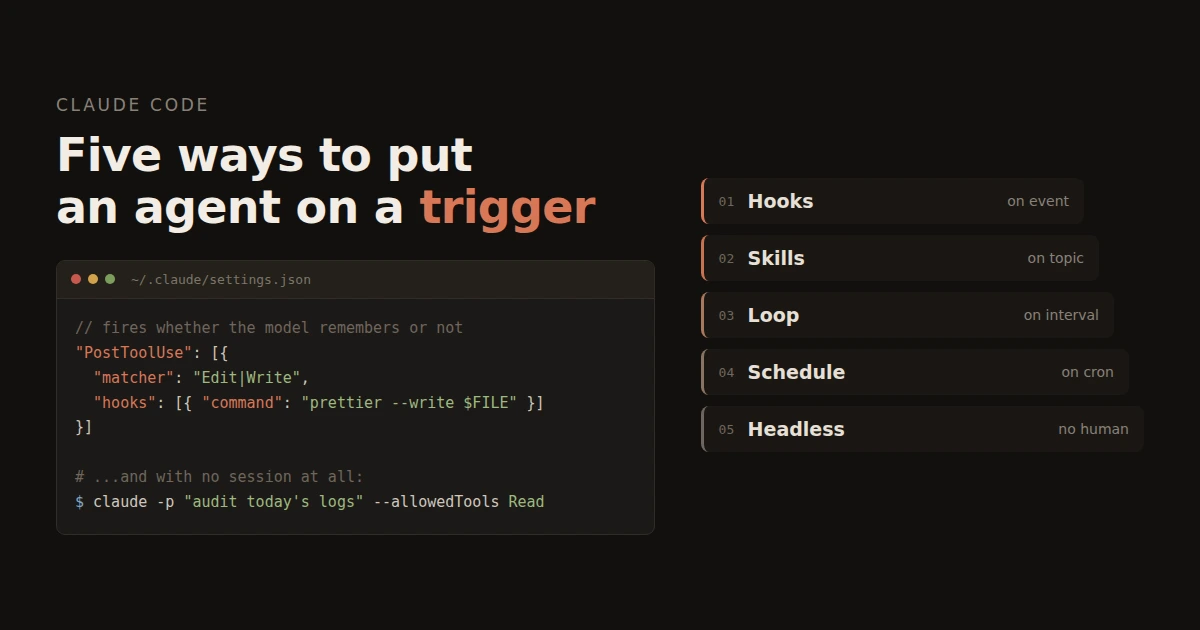
What none of this does is start without you. For that — routines running in the cloud on a cron cadence, desktop scheduled tasks, GitHub events, or /loop repeating inside a session — see running Claude Code automatically.
Verdict
Background sessions are the feature that changes what a day looks like, and the reason is unglamorous: they turn "wait for the agent" into "check on the agent", which is a different job. Subagents are less visible and almost as valuable, because context spent on reading is context not spent on the task. Both are cheap to try and neither needs a decision up front — start one background session the next time something will take more than five minutes, and see whether you go back.
Use them if you have more than one thing to do at once, or tasks that take long enough that watching them is a waste. Skip them if your work is one focused change at a time — the agent view is overhead you do not need yet.
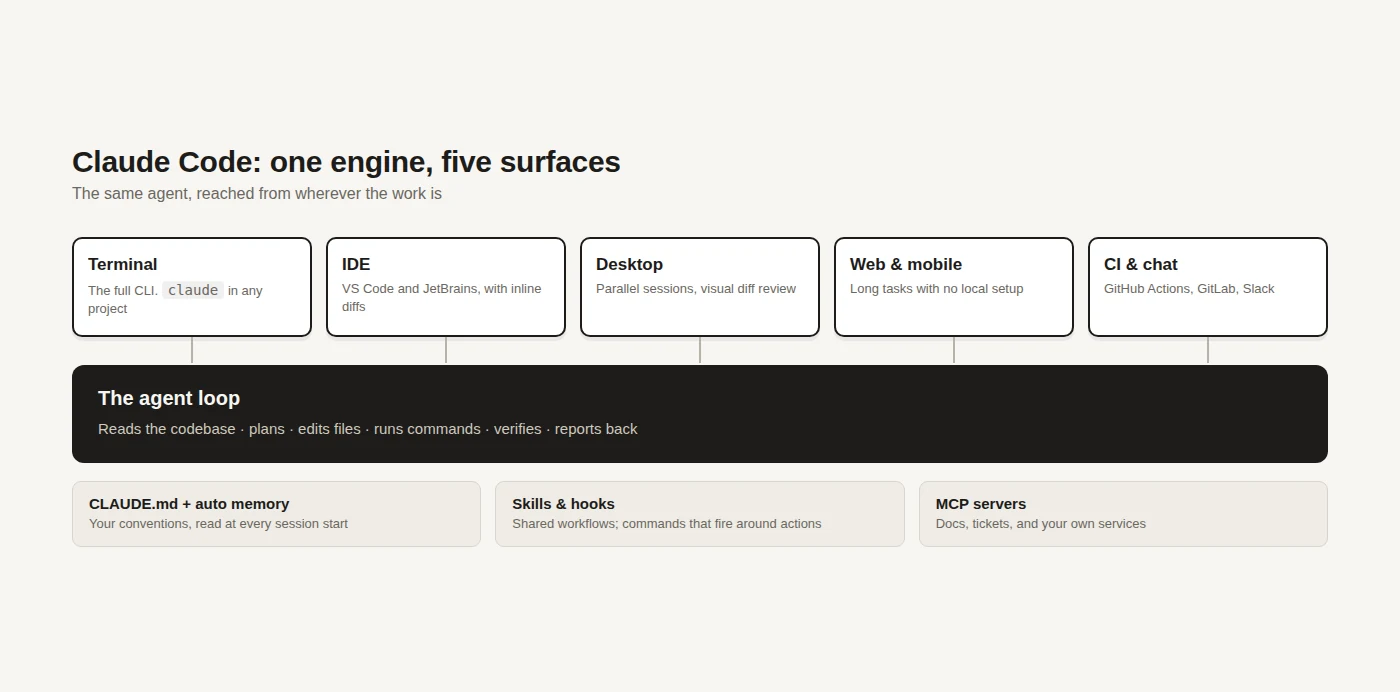
If you are new to the tool itself, the introduction to Claude Code covers installation, the commands worth memorising and what it costs.
Background agents: https://code.claude.com/docs/en/agent-view Subagents: https://code.claude.com/docs/en/sub-agents
No comments yet